
Introduction
High-Logic FontCreator Pro PC Software is a comprehensive and user-friendly font editor designed for PC users who want to create, edit, and customize fonts. It is one of the most popular and powerful tools in the font design industry, widely used by professional designers, typographers, and even hobbyists. With its intuitive interface and extensive feature set, FontCreator Pro empowers users to craft high-quality, scalable fonts for a variety of applications, including graphic design, web development, and branding.
Description
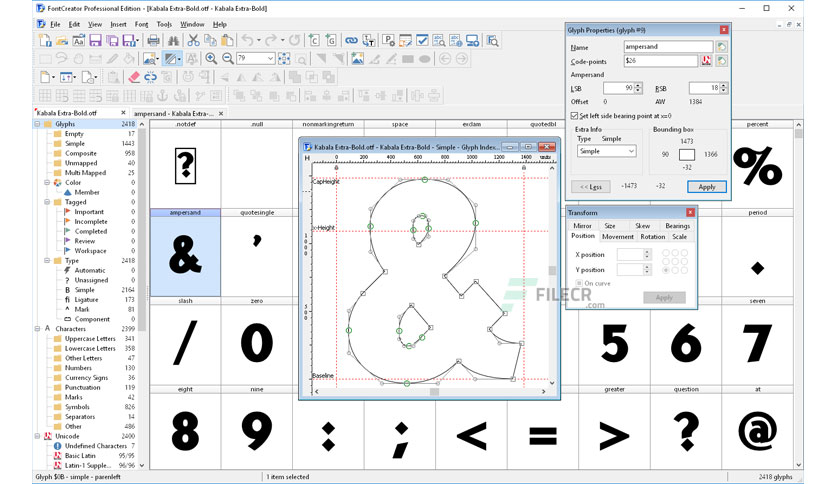
FontCreator Pro is a flagship product of High-Logic, a company renowned for its cutting-edge font management solutions. The software provides all the tools needed to create and modify OpenType, TrueType, and Web Open Font Format (WOFF) fonts. It is equipped with advanced drawing and editing tools that make it possible to design characters from scratch, improve existing fonts, or add multilingual support.
The latest version of FontCreator Pro introduces several enhancements, including better performance, an improved user interface, and advanced typographic features. Whether you are a professional designer working on complex font projects or a beginner exploring typography, FontCreator Pro caters to all skill levels.
Overview
Key Highlights of High-Logic FontCreator Pro:
- Comprehensive Font Editing: Create and modify fonts with precision and ease.
- Professional Features: Includes advanced typography tools like kerning, hinting, and OpenType features.
- Wide Format Support: Compatible with TrueType, OpenType, and Web Fonts.
- User-Friendly Interface: Simplifies the font creation process with intuitive tools.
- Advanced Import Options: Convert scanned images, vector graphics, or existing fonts into editable formats.
Software Features
1. Font Creation and Editing
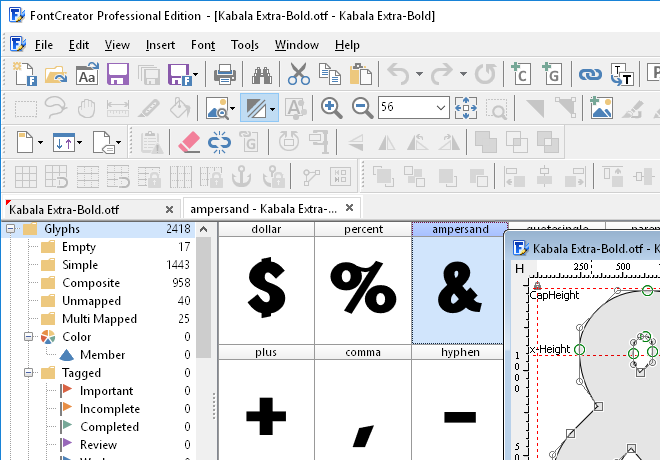
FontCreator Pro allows users to design fonts from scratch or edit existing fonts. You can:
- Draw and modify glyphs using vector tools.
- Add new characters or symbols.
- Generate fonts with consistent metrics and spacing.
2. OpenType Features
Support for OpenType features like ligatures, alternate glyphs, and contextual substitutions enables the creation of advanced, professional-quality fonts.
3. Advanced Kerning and Spacing Tools
Achieve perfect character spacing and alignment with kerning and spacing tools. The software provides visual guides and metrics to help ensure uniformity.
4. Import and Export Options
FontCreator Pro supports importing vector graphics from software like Adobe Illustrator. You can also scan and import hand-drawn characters for editing. Fonts can be exported in TrueType, OpenType, and Web Font formats.
5. Validation and Testing
The software includes a built-in validation tool to identify and fix common font issues. Users can preview their fonts in real-time, ensuring compatibility across different platforms and applications.
6. Multilingual Support
FontCreator Pro allows you to add characters and symbols for multiple languages, making your fonts suitable for international audiences.
7. High-Precision Drawing Tools
Design intricate details with precision using advanced drawing tools. Features like Bezier curves and node manipulation offer complete control over character design.
8. Font Repair and Conversion
Repair damaged fonts or convert fonts between different formats. This feature is especially useful for reviving older or corrupted font files.
9. Integration with Other Tools
FontCreator Pro integrates seamlessly with font management tools and other graphic design software, streamlining the workflow.
How to Install High-Logic FontCreator Pro
For Windows:
- Navigate to the “Download” section and select FontCreator Pro.
- Download the installer file.
- Double-click the installer and follow the on-screen instructions.
- Launch FontCreator Pro and activate it with your license key (if applicable).

System Requirements
Minimum Requirements:
- Operating System: Windows 7/8/10/11 (64-bit)
- Processor: Dual-core CPU
- RAM: 4 GB
- Storage: 250 MB for installation
- Display: 1280×800 resolution
Recommended Requirements:
- Operating System: Windows 10/11 (64-bit)
- Processor: Quad-core CPU or higher
- RAM: 8 GB or more
- Storage: SSD with at least 500 MB free
- Display: 1920×1080 resolution or higher
Conclusion
High-Logic FontCreator Pro is a robust and versatile tool that meets the needs of anyone involved in font design. From creating custom fonts for branding to editing existing typefaces for multilingual support, FontCreator Pro provides unparalleled flexibility and control. Its user-friendly interface, combined with its professional-grade features, makes it a top choice for designers and typographers.
Whether you’re a professional or a beginner, FontCreator Pro empowers you to bring your creative visions to life. Explore the possibilities of font design with High-Logic FontCreator Pro and elevate your typography projects to the next level.
Download Link : HERE
Your File Password : Koyalsoft.com
File Version & Size : 28.17 MB
File type : compressed / Zip & RAR (Use 7zip or WINRAR to unzip File)
Support OS : All Windows (32-64Bit)
Virus Status : 100% Safe Scanned By Avast Antivirus